AI Productivity Tools
Discover top AI tools that boost productivity and streamline your tasks efficiently.

In today's fast-paced world, staying productive can sometimes feel like an uphill battle. With endless to-do lists, constant notifications, and distractions lurking around every corner, finding the right tools to help you manage your time effectively has never been more crucial. Enter AI productivity tools—designed to streamline your workflows, automate mundane tasks, and keep you organized.
Over the past few years, these intelligent solutions have made significant strides, evolving from simple task managers to comprehensive systems that adapt to your needs. Whether you're striving to optimize your daily schedule, improve team collaboration, or tackle that overwhelming inbox, the right AI tools can make all the difference.
In my exploration of the best AI productivity tools on the market, I've tested various applications that promise to enhance your efficiency and focus. From smart schedulers to innovative project management systems, there’s a wealth of options available to help reclaim your time.
So, if you're eager to elevate your productivity game and make the most out of your workday, look no further. Here’s a curated list of standout AI productivity tools that are worth your attention. Let’s dive into the world of smarter work management together!
The best AI Productivity Tools
-
121. Scenario for accelerate game asset creation and iteration.
-
122. Quilgo for efficient quiz creation for teams.
-
123. Noctie for quick feedback to boost chess skills
-
124. Mr. Cook for plan meals and create shopping lists
-
125. Noota for real-time meeting summaries and insights
-
126. Saner.ai for streamlining daily tasks and notes.
-
127. Crystal Knows for enhance team dynamics for better output
-
128. Zyft for streamline your shopping with instant price checks.
-
129. Folk for streamlining team collaboration tasks.
-
130. Morgen for unified scheduling platform
-
131. GPT Workspace for streamline task management and scheduling.
-
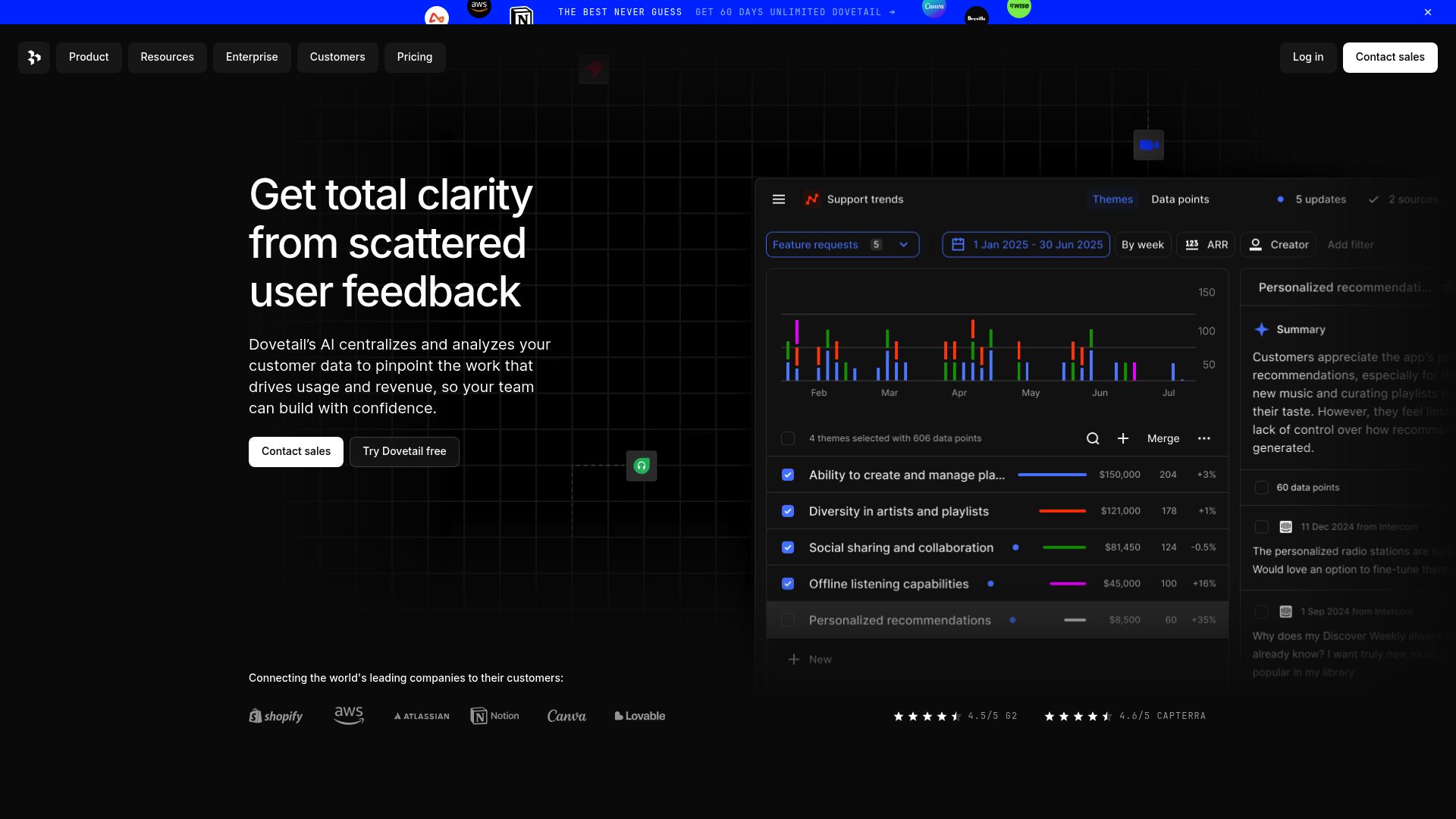
132. Dovetail for streamlining team project collaboration.
-
133. SlidesGPT.com for streamlining presentation creation.
-
134. GPT Excel for automate report generation
-
135. SlidesAI for streamline slide creation for faster workflow
1519 Listings in AI Productivity Tools Available


Scenario pros:
- Custom-Trained AI Models: Train unlimited custom AI models that perfectly align with your game's art direction.
- Shatter Development Time: Scenario's custom AI generators can generate IP-perfect game assets in seconds.
Scenario cons:
- Error 404 - Some pages not found
- Pricing plans could be considered relatively expensive compared to alternatives in the same industry
Scenario is an innovative productivity tool tailored for game developers seeking to harness the power of artificial intelligence in their creative processes. By allowing users to create and manage custom-trained AI models, Scenario streamlines the development workflow, enabling the rapid generation of unique game assets while maintaining stylistic consistency. This efficiency not only decreases developmental timelines but also enhances player engagement through enriched game experiences. With features that support unlimited model training and promote collaborative creativity, Scenario empowers studios to fully realize their creative potential, transforming the way games are developed and played.
Scenario Pricing
Paid plans start at $12/mo and include:
- 1,500 Creative Units
- Standard processing
- 5 Concurrent Generations
- 4x Factor Upscaling
- 15GB Storage Allowance
- API Access


Quilgo pros:
- Simplicity and reliability in creating and administering quizzes and tests
- AI-powered tools for a trustworthy testing experience
Quilgo cons:
- The subscription is automatically recurring, which may lead to unexpected charges if not monitored closely
- No information available on the features provided with the highest-priced plan ('Custom')
Quilgo is a cutting-edge online testing platform that revolutionizes the way quizzes and assessments are conducted. Its user-friendly interface allows educators, recruiters, and businesses to create, manage, and analyze tests efficiently, making it an essential tool for anyone involved in education or hiring processes.
One of its standout features is the AI-powered quiz generation, which simplifies the creation process by automatically generating questions based on user-defined criteria. This not only saves time but ensures a diverse range of questions, enhancing the testing experience.
Customization is key with Quilgo, as it enables users to tailor quizzes with rich text, media elements, and even shuffle questions. This flexibility ensures that assessments can be designed to meet specific learning objectives or recruitment criteria, ultimately leading to more effective evaluations.
In addition, Quilgo offers AI proctoring tools that enhance the integrity of the testing environment. These features help ensure that assessments are fair and trustworthy, vital for maintaining credibility in recruitment or educational assessments.
The platform’s reporting capabilities are another invaluable asset. Users can access detailed analytics and personal reports, allowing them to gain insights into quiz performance and participant responses. This data-driven approach aids in refining both the quizzes and the overall testing strategy.
With plans starting at just $15/month, Quilgo provides excellent value for organizations of all sizes. Whether you’re an educator looking to assess student understanding or a business seeking reliable hiring tests, Quilgo is a robust solution that meets diverse productivity needs.
Quilgo Pricing
Paid plans start at $15/month and include:
- Test taker seats: 10
- Tests: Unlimited
- AI Quiz Templates: 10 per team per month
- AI Questions Generator: 3 per team per month
- Form Builder
- Timer


Noctie pros:
- Human-like gaming experience
- Real-time actionable feedback
Noctie cons:
- Lack of scalability details
- No offline mode mentioned


Mr. Cook pros:
- Very easy to use and super practical
- Create recipes based on your preferences
Mr. Cook cons:
- Mr. Cook - Recipe Generator is a paid service with various subscription plans, which may not be suitable for users looking for a free recipe management option.
- Developed by a single developer, which could potentially impact the speed of updates and the range of features compared to larger teams or companies in the same industry.
Mr. Cook is an innovative recipe management application designed to streamline the cooking experience for users. With its intuitive interface, the app enables users to save, share, and organize their favorite recipes seamlessly. Whether it’s creating personalized recipes or turning leftovers into delicious meals, Mr. Cook caters to diverse culinary needs.
In addition to recipe management, the app excels in meal planning. Users can easily plan their weekly meals, automatically generate shopping lists, and tag recipes for efficient organization. This makes grocery shopping a breeze, reducing time spent on planning and ensuring a well-balanced diet.
Another standout feature is the app's ability to scan handwritten recipes and transform them into digital entries. This functionality preserves cherished family recipes and keeps them accessible while allowing users to modify or enhance them as needed.
With AI-generated recipes and nutrient analysis, Mr. Cook takes a modern approach to cooking. It suggests nutritious meal options tailored to users' preferences and dietary requirements, making it easier to eat healthily without compromising on flavor.
Developed by a passionate solo developer, Mr. Cook prioritizes user experience and offers various subscription plans to suit different needs and budgets. Starting at €8.99 per month, the application provides a fantastic value for those looking to elevate their cooking game, making meal preparation enjoyable and efficient.
Mr. Cook Pricing
Paid plans start at €8.99/month and include:
- Unlimited recipes
- Unlimited cookbooks
- Unlimited AI recipes
- Unlimited shopping lists
- Recipe scanner
- Best AI model


Noota pros:
- No Credit Card Required
- Automated note-taking
Noota cons:
- Limited number of transcriptions
- High dependency on CRM
Noota Pricing
Paid plans start at $18/month and include:
- Meeting Screen Recorder
- Real Time Guidance
- Conversation Intelligence
- AI Meeting Notes & Summary
- Transcription Generator
- CRM Integration


Saner.ai pros:
- It makes note-taking easy. You won’t get too many things on the screen to burden or distract you.
- You can research, write, organize, find, and use your notes with minimal switching between apps or views not to disrupt your focus.
Saner.ai cons:
- No specific cons or missing features were found in the provided information for Saner.ai.
- External AI models are not included in the message limit of each package
Saner.ai is a dedicated AI note-taking app specifically crafted for individuals with ADHD. Its development was deeply influenced by the co-founder's personal journey with ADHD, leading to a user-friendly design that prioritizes simplicity and productivity. By minimizing context switching, Saner.ai helps users focus better on their tasks and enhances their overall efficiency.
The app offers a free package alongside a beta version, allowing users to test its advanced AI productivity assistant without any financial commitment. This flexibility ensures that potential users can experience its intuitive features before deciding to invest in a paid plan.
Data security and user privacy are core principles at Saner.ai. The app employs stringent data protection measures, ensuring that all information is stored securely. Users retain full control over their data, which fosters trust and peace of mind while using the application.
Saner.ai excels in versatility, accommodating a wide range of knowledge-related tasks. Whether users need to brainstorm ideas, summarize existing notes, or even create newsletters, the app covers all these functionalities seamlessly. Its powerful combination of AI technology and advanced systems allows for intelligent, efficient responses that can significantly enhance productivity.
For those looking for an effective note-taking and productivity solution, Saner.ai stands out among traditional tools. With paid plans starting at just $5.89 per month, it offers an affordable yet robust option for knowledge professionals seeking to streamline their workflows and manage information effectively.
Saner.ai Pricing
Paid plans start at $5.89/month and include:
- 50 chat messages/month
- 100 Notes
- 5 PDF: 1MB/file
- Chrome Extension
- Free Trial Bonus: 50 chat + 5 PDF 10MB
- Skai without deep thinking


Crystal Knows pros:
- Advanced Prospecting
- Personalized outreach
Crystal Knows cons:
- No cons were specifically mentioned about using Crystal in the provided documents.
- No specific cons of using Crystal were found in the provided documents.
Crystal Knows stands out as a leading AI productivity tool designed to enhance communication and interpersonal relations. Founded in 2015, the platform leverages deep personality insights to help individuals gain a better understanding of themselves and others. This focus on personality data is tailored to foster more effective interactions, whether in personal conversations or business settings.
Integrating seamlessly with popular sales and marketing platforms like Salesforce and HubSpot, Crystal Knows offers businesses a unique advantage. It analyzes online behaviors and communication styles, helping teams tailor their approaches for better engagement with prospects and clients. This functionality is particularly valuable for organizations aiming to enhance collaboration and customer relationships.
The platform features a robust suite of tools, including prospecting assistance, writing enhancement, and hiring support. These capabilities are designed to foster stronger connections among team members and between businesses and their clients. Crystal Knows empowers users to communicate in a manner that resonates with different personality types, ultimately promoting relationship-building and improving overall productivity.
Companies like Accenture, Google, and Microsoft trust Crystal Knows to elevate their communication strategies. By utilizing its advanced personality analytics, organizations can create a more tailored experience for their clients and employees alike. This unique approach transforms the way businesses connect, ensuring that communication is not just effective, but also meaningful.


Zyft pros:
- IOS App
- Chrome extension
Zyft cons:
- IOS and Chrome only
- Mainly for Australian users
Zyft is a highly efficient shopping tool designed to enhance the online shopping experience by leveraging artificial intelligence. It effortlessly streamlines the process of finding the best prices, allowing users to instantly compare prices from a vast array of Australian retailers—over 48,000 in total. One of Zyft’s standout features is its ability to track price history and uncover the latest deals, making it easier for users to make informed purchasing decisions.
Accessible without the need for registration, Zyft is available on iOS devices and as a convenient Chrome extension, catering to those who value simplicity and ease of use. It offers real-time search results and in-store price comparisons through its unique ZyftZap feature, ensuring that users can quickly locate products that are currently in stock. Completely free to use, Zyft not only helps shoppers find outstanding online prices but also aids them in understanding pricing trends, ultimately making the shopping experience both efficient and rewarding.


Folk is a comprehensive CRM platform tailored to enhance the management of various professional relationships, making it an excellent tool for both individuals and organizations. Whether you're in sales, recruiting, or community building, Folk offers a multifaceted approach to managing your connections and engagements seamlessly.
One standout feature is the folkX Chrome extension, which simplifies contact management by streamlining interactions with just one click. Additionally, its AI-powered messages and sequences help users engage more effectively with their audience, saving time and increasing productivity.
The customizable pipeline management feature enables teams to collaborate efficiently, ensuring that deals are closed successfully. This flexibility makes it versatile enough to adapt to different workflows, catering to a wide range of professional needs.
With over 6000 integrations available, Folk connects easily with existing tools, facilitating a smooth and cohesive workflow. This makes it an ideal choice for those looking to enhance productivity without the hassle of switching platforms.
Overall, Folk stands out as a potent productivity tool for professionals seeking to strengthen their relationships and optimize their operations, ensuring they remain competitive in their respective fields.


Morgen pros:
- Integrated Calendars: Syncs with multiple calendar providers for a consolidated view.
- Hassle-Free Scheduling: Real-time availability checking to prevent scheduling conflicts.
Morgen is a productivity tool that serves as a comprehensive calendar and task management application designed for seamless integration of scheduling needs across various platforms. It allows users to unify calendars from different providers, incorporate task managers, and utilize time-blocking techniques in a single application. Morgen facilitates hassle-free scheduling with features like real-time availability checking and offers tools for team coordination such as team availability views and optimal meeting time suggestions. The tool's intuitive design, customizable views and tags, keyboard shortcuts, and one-click virtual meeting joins are aimed at enhancing daily planning and task execution efficiency. Morgen prioritizes data security and privacy to protect user information while maximizing productivity. It is compatible with various operating systems including Mac, Windows, Linux, iOS, and Android. Key features include integrated calendars, hassle-free scheduling, time blocking, team coordination, and one-click virtual meetings.
Morgen Pricing
Paid plans start at $9.00/month and include:
- Desktop + (read-only) mobile apps
- One calendar integration
- Unlimited Morgen Tasks
- Unlimited Open Invites
- Morgen team availability
- Mobile app on iOS and Android


GPT Workspace pros:
- Enhance productivity
- Make accurate predictions
GPT Workspace stands out as a robust productivity tool that harnesses the power of GPT technology to enhance workflow efficiency. Designed for businesses looking to integrate cutting-edge tech without breaking the bank, it offers accurate predictions and seamless customization tailored to specific operational needs.
Privacy is a core principle of GPT Workspace. The tool does not access users’ files or data from Google Drive, ensuring that sensitive information remains secure. Users only need to provide essential details like email addresses and names, with all data safeguarded on Google's servers.
The platform supports compliance with the GDPR, granting users rights to access, correct, and delete their personal information, reinforcing its commitment to data protection. Users can effortlessly manage their subscriptions, with options for cancellation and full refunds available within the first 30 days, providing peace of mind for paying customers.
GPT Workspace integrates smoothly with various Google Workspace applications, such as Docs, Sheets, and Gmail. This functionality enables features like content generation and text summarization, catering to a broad range of productivity needs, from document creation to effective communication strategies.
Overall, GPT Workspace utilizes advanced AI technologies, including GPT-4 and GPT-3.5, to deliver powerful productivity functionalities. Its emphasis on user privacy, ease of subscription management, and integration with well-known applications makes it an essential tool for any business striving for efficiency in the digital age.



GPT Excel pros:
- Boost spreadsheet productivity by generating and understanding formulas in Excel and Google Sheets
- Streamline workflow by effortlessly generating VBA scripts for Excel Apps Scripts and Airtable scripts
GPT Excel cons:
- No specific cons mentioned in the documents.
GPT Excel Pricing
Paid plans start at $6.99/month and include:
- Excel Formula Generator AI
- Script Generator AI
- SQL Query Generator AI
- Regex Generator AI
- Template Generator AI
- Priority access to customer support


SlidesAI pros:
- No design skills required
- Setup in seconds
SlidesAI cons:
- For now, SlidesAI only works with Google Slides, with an integration with Microsoft PowerPoint in progress. Users of other presentation software may face compatibility issues.
- Limited features in the Basic plan such as 3 presentations per month, 2500 character input per presentation, and 10 AI credits per month may not be sufficient for heavy users.
SlidesAI is a standout tool in the realm of productivity, specifically designed to simplify the presentation-making process. By leveraging cutting-edge AI technology, it enables users to transform written text into visually striking slides effortlessly. This automation eliminates the tedious manual work typically associated with crafting presentations, giving users more time to focus on content quality.
Ideal for both professionals and novices, SlidesAI caters to a wide audience with its intuitive interface. Users can quickly generate polished slides with minimal input, making it especially appealing for those pressed for time or lacking design skills. By simply entering text, you can produce a presentation that looks professionally crafted.
One of the key features of SlidesAI is its ability to enhance visual elements automatically. The tool’s algorithms intelligently select themes, color schemes, and graphics that complement your content, creating a cohesive and engaging presentation. This focus on visual appeal helps ensure that your message resonates with your audience.
Customization options are also readily available, allowing users to refine and edit their slides as needed. Whether you want to tweak the design or add additional elements, SlidesAI supports your creativity. This flexibility means it can adapt to various presentation styles and themes, making it a versatile asset for any type of presentation.
Overall, if you're looking to improve your productivity in creating presentations, SlidesAI is a highly recommended tool. It streamlines the process while still delivering eye-catching and informative slides, making your job easier and your presentations more effective.